


AI Leverage
AI Leverage Starts With the Process: Why Better Tools Won't Fix a Broken Workflow
Most business owners do not have a tool problem. They have a process problem. That is why so many AI and automation projects feel promising for a few weeks, then quietly fall back into the same delays, manual checks, and owner-dependent decisions.

A new platform gets introduced. A few automations are built. A chatbot is tested. Someone connects a CRM to an email tool. A reporting dashboard appears. For a short time, it feels like progress.
Then the old problems return. Leads still wait too long for follow-up. Customer questions still bounce between people. Reports still need manual checking. Internal knowledge still lives in scattered files, inboxes, and people's heads. The owner is still the bottleneck.
The business looks more modern from the outside, but inside, the work still moves in the same messy way.
That is the uncomfortable truth about AI leverage: it does not start with the tool. It starts with the process.
There is a second truth that matters even more. Sometimes improving the current process is not enough. Cleaning the data is not enough. Automating a few steps is not enough. If your business has serious growth ambitions, you may need to rethink the process completely.
Not polish it. Not speed it up slightly. Rethink it.
The biggest AI mistake: adding intelligence to a workflow nobody understands
A lot of companies start with the same question: "What AI tool should we use?"
It feels like the right question because the market is full of tools. Every week there is a new app, assistant, agent, copilot, plugin, or platform promising to save time.
The better question is this: "Which workflow is slowing the business down enough to deserve improvement?"
That question changes everything. A workflow is not just a task. It is the path work follows from trigger to outcome. A lead comes in. A customer sends a request. A supplier asks for clarification. A document needs checking. A manager needs a report. A quote needs to be prepared. An invoice needs to be validated. A complaint needs to be routed.
Each workflow has inputs, owners, decisions, tools, handoffs, risks, and outputs. When those parts are unclear, technology can only do so much.
- You can automate a bad handoff.
- You can speed up a confusing approval.
- You can generate a faster report that nobody trusts.
- You can create more data from a process that already produces poor data.
But you have not created leverage. You have created faster noise.
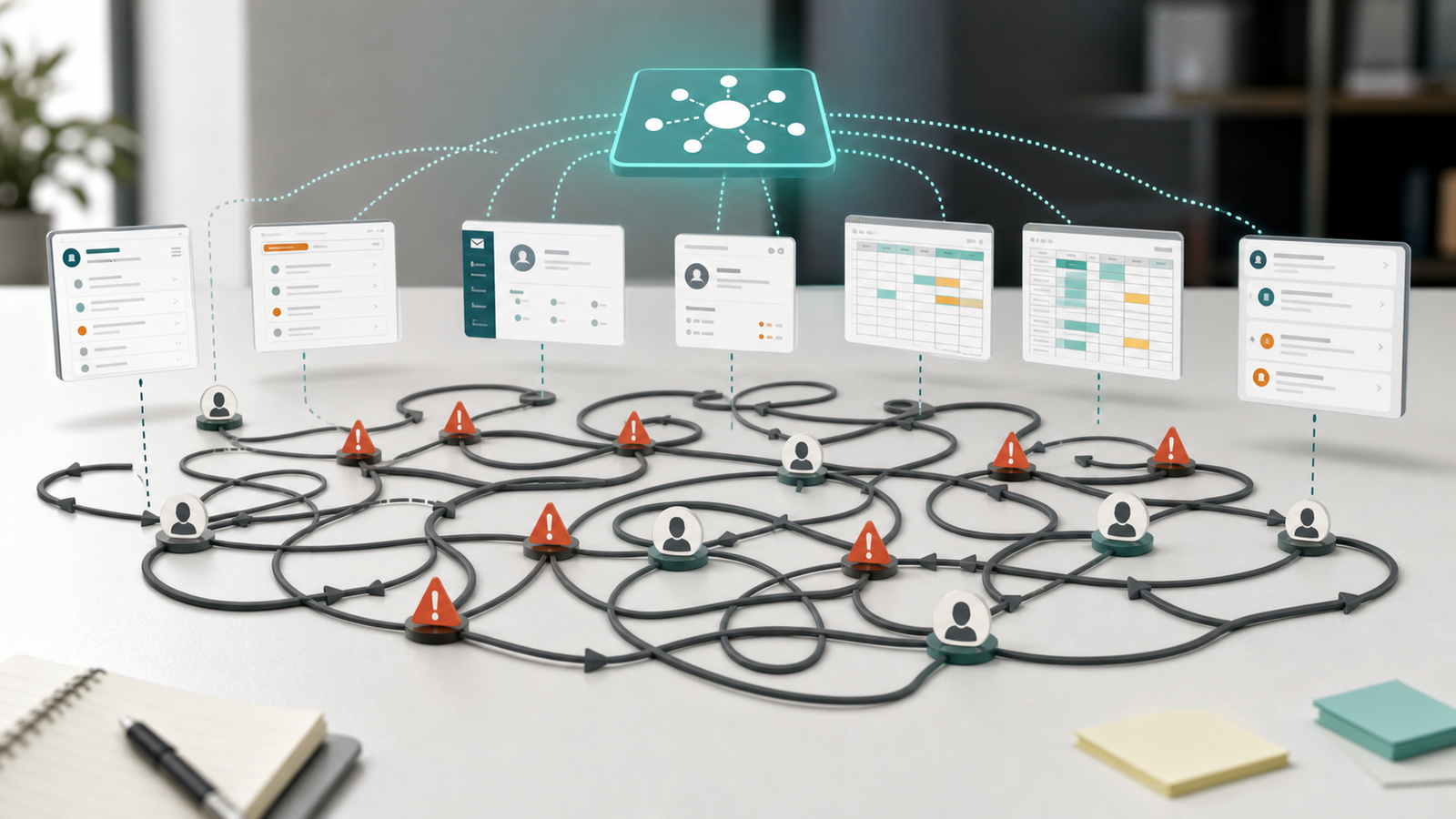
Before you ask what AI can do, ask how the work actually moves today. Where does it start? Who touches it? What information is needed? Where does it get stuck? Where does quality drop? Where does the owner need to step in? Where does the customer wait? Where does the team repeat the same work again and again?
Those answers are more valuable than a tool list.
AI does not fix broken workflows. It exposes them.
A broken workflow usually hides behind people. The experienced employee remembers the exception. The owner knows which customer needs a special response. The operations manager checks the spreadsheet because nobody fully trusts the source data. The salesperson follows up manually because the CRM is not updated properly. The finance person catches the same recurring errors every month because the upstream process never changed.
From the outside, the business is functioning. But it is functioning because people are compensating for weak systems.
That can work for a while. It can even work for years. Then the business grows: more leads, more customers, more suppliers, more projects, more documents, more exceptions, more pressure.
Suddenly, the same process that worked at a smaller scale starts creating drag. This is usually when companies start looking for AI.
The problem is that AI does not remove the need for process clarity. It increases the need for it. If the input is unclear, the output will be unreliable. If ownership is unclear, the escalation path will be messy. If data is inconsistent, the recommendations will be questionable. If the workflow has no clear success criteria, nobody will know whether the system is working.
Serious AI work should begin with diagnosis: What is the repeated workflow? What is the current pain? What is the business impact? What should stay human-reviewed? What can be prepared, summarized, routed, checked, or drafted? What is the smallest useful version?
Process improvement is useful. Process redesign is different.
There is nothing wrong with improving a process. Sometimes that is exactly what the business needs: a faster form, a cleaner spreadsheet, a better handoff, a clearer checklist, a more consistent follow-up template, or a dashboard instead of a manual report.
Those changes can save time and reduce frustration. But process improvement has a limit. It usually accepts the current workflow as the starting point.
Process improvement asks: "How can we make this process faster? How can we reduce errors? How can we automate the boring parts? How can we make the existing steps easier?"
Those are good questions. But they are not always enough.
Process redesign asks a harder question: "Would we build the process this way if we started from scratch today?"
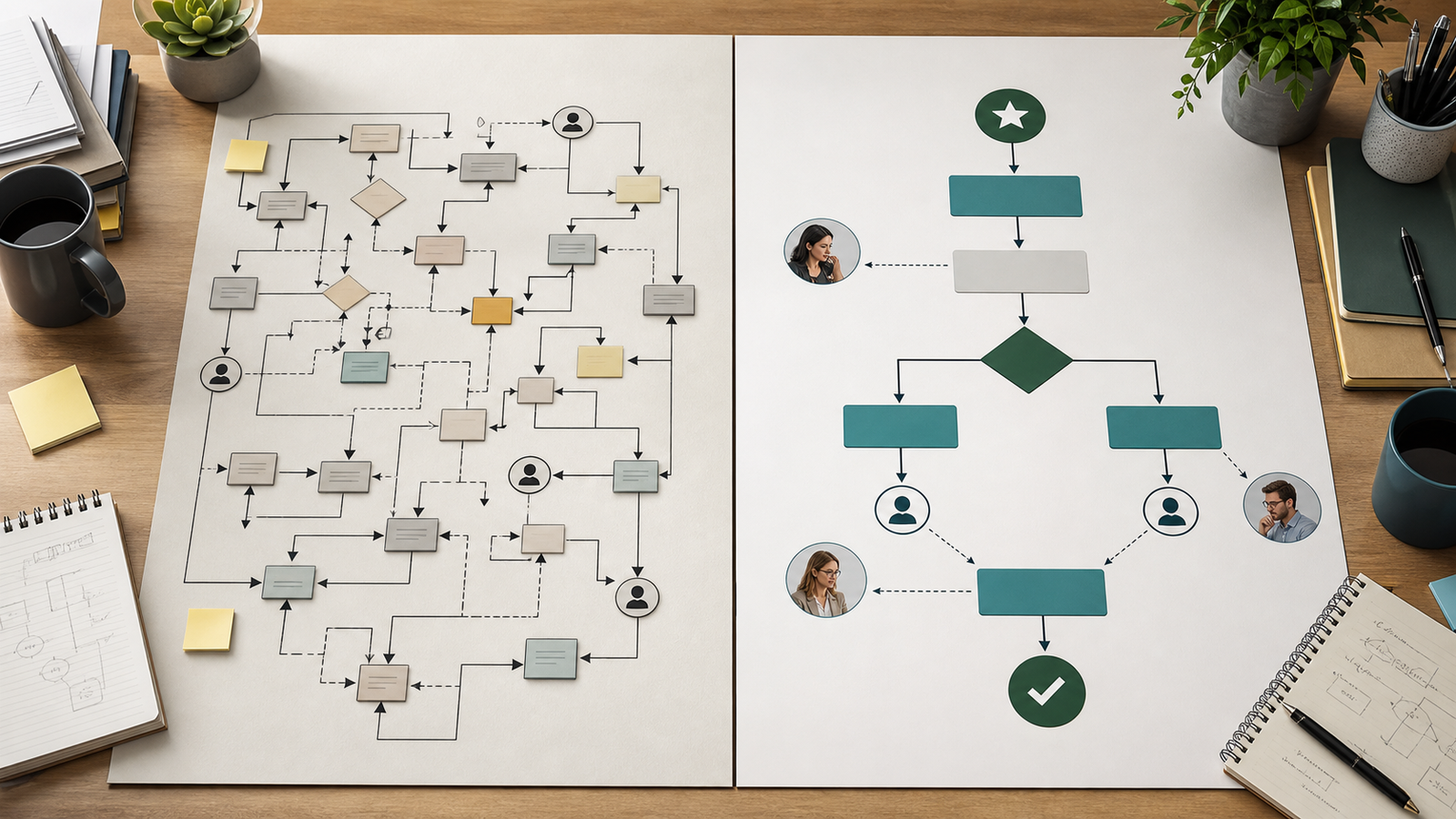
That question can be uncomfortable because it challenges the way the business has always worked. Maybe the approval step exists only because of a problem from three years ago. Maybe the report is prepared every week, but nobody uses half of it. Maybe customer requests are handled through email because nobody ever designed a proper intake flow.
Maybe lead follow-up is inconsistent because the business never agreed what a qualified lead actually means. Maybe the owner is still reviewing things that should be handled by rules, thresholds, or trained team members. Maybe the process has too many steps because each department optimized its own part, but nobody designed the whole flow.
This is where AI becomes interesting. Not because it makes the old workflow slightly faster, but because it gives you a chance to rebuild the workflow around the outcome you actually want.
Example: the lead follow-up problem
Take inbound lead follow-up. Many businesses think they need more leads. Sometimes they do. But often, the bigger issue is what happens after the lead arrives.
A form is submitted. An email lands in an inbox. Someone checks it later. The information is incomplete. A salesperson replies manually. The CRM may or may not be updated. A follow-up may or may not happen. If the lead is not ready, it disappears into the fog.
The basic improvement is obvious: respond faster. That helps. But a redesigned workflow goes further.
A better version might look like this: the lead enters through a structured form, the information is checked and enriched, the request is categorized, the lead is scored based on fit, urgency, and value, a draft response is prepared, the right person is notified, the CRM is updated, the follow-up sequence is scheduled, and a human reviews anything sensitive before it goes out.
Now the business has more than a faster email. It has a better lead system.
AI leverage is not about replacing the human relationship. It is about removing the friction around it. The salesperson can spend more time on judgment, trust, and conversation. The system handles preparation, routing, reminders, consistency, and visibility.
Example: reporting that actually helps decisions
Reporting is another common area where companies confuse automation with leverage. A manager spends hours every week collecting data, cleaning it, pasting it into slides, and writing a short summary. The obvious improvement is to automate the report.
Again, that can help. But the deeper question is: "What decision is this report supposed to support?"
A lot of reports exist because someone once asked for them. Then they became routine. Nobody wants to stop them because stopping a report feels risky. So the business continues producing information that may not change any decision.
A redesigned reporting process would start from the decision, not the template. What does leadership need to know? What thresholds matter? What should trigger attention? What should be reviewed weekly? What can be monitored silently? What requires escalation? What should be ignored?
When you start there, the output may no longer be a static report. It might become an exception view, a risk summary, a daily digest, a project dashboard, a decision brief, or a recommendation queue. The work shifts from "prepare a report" to "support a decision." That is leverage.
Example: procurement and supplier management
Procurement is a perfect example of why process redesign matters. A traditional procurement process often focuses on requests, quotes, approvals, negotiations, purchase orders, delivery tracking, and issue resolution. Each step may be reasonable on its own, but the whole process can still be slow.
Information is spread across systems. Supplier knowledge lives with experienced buyers. Market changes are noticed late. Risk signals are not always connected to active decisions. Lessons learned from previous projects are hard to reuse.
The basic improvement would be to automate parts of the process: draft supplier emails, summarize quotes, prepare comparison tables, check documents, and track deadlines. Those are useful improvements.
But the bigger opportunity is to rethink procurement as a decision system. Imagine a workflow where historical supplier performance, delivery data, price trends, project lessons learned, tariff changes, raw material shortages, logistics risks, and quality requirements are available when the buyer needs them.
The buyer is no longer chasing information. The buyer is interpreting options. The system prepares the context. The buyer uses judgment. The team focuses on negotiation, relationships, escalation, and strategic trade-offs.
That is a different role for procurement. Not less human. More strategic.
Why "cleaning the data" is not the full answer
Data quality matters. Bad data creates bad outputs. But many companies treat data cleaning as the main obstacle. They say: "We need better data first."
Sometimes that is true. But it can also become a way to postpone the harder process conversation. Why is the data bad? Where does it enter the business? Who creates it? Which fields are unclear? Which steps create duplicates? Which tools do not talk to each other? Which people use different definitions? Which decisions depend on information that nobody owns?
Data quality is often a process problem in disguise. If five people describe the same customer issue in five different ways, the problem is not only data. It is language. If sales and operations define urgency differently, the problem is not only data. It is alignment. If supplier records are incomplete, the problem may not be the database. It may be the intake process.
So yes, clean the data. But do not stop there. Fix the way the data is born.
The LEVERAGE concept: a practical way to decide where to start
This is where the MiklosKovacs.io LEVERAGE concept comes in. LEVERAGE is not a slogan. It is a practical operating lens for deciding where AI should go first, what should stay human-reviewed, and how one workflow can become a repeatable business system.
Do not start with a tool. Do not start with a long list of use cases. Do not start with a transformation program. Start with one workflow where improvement would matter.
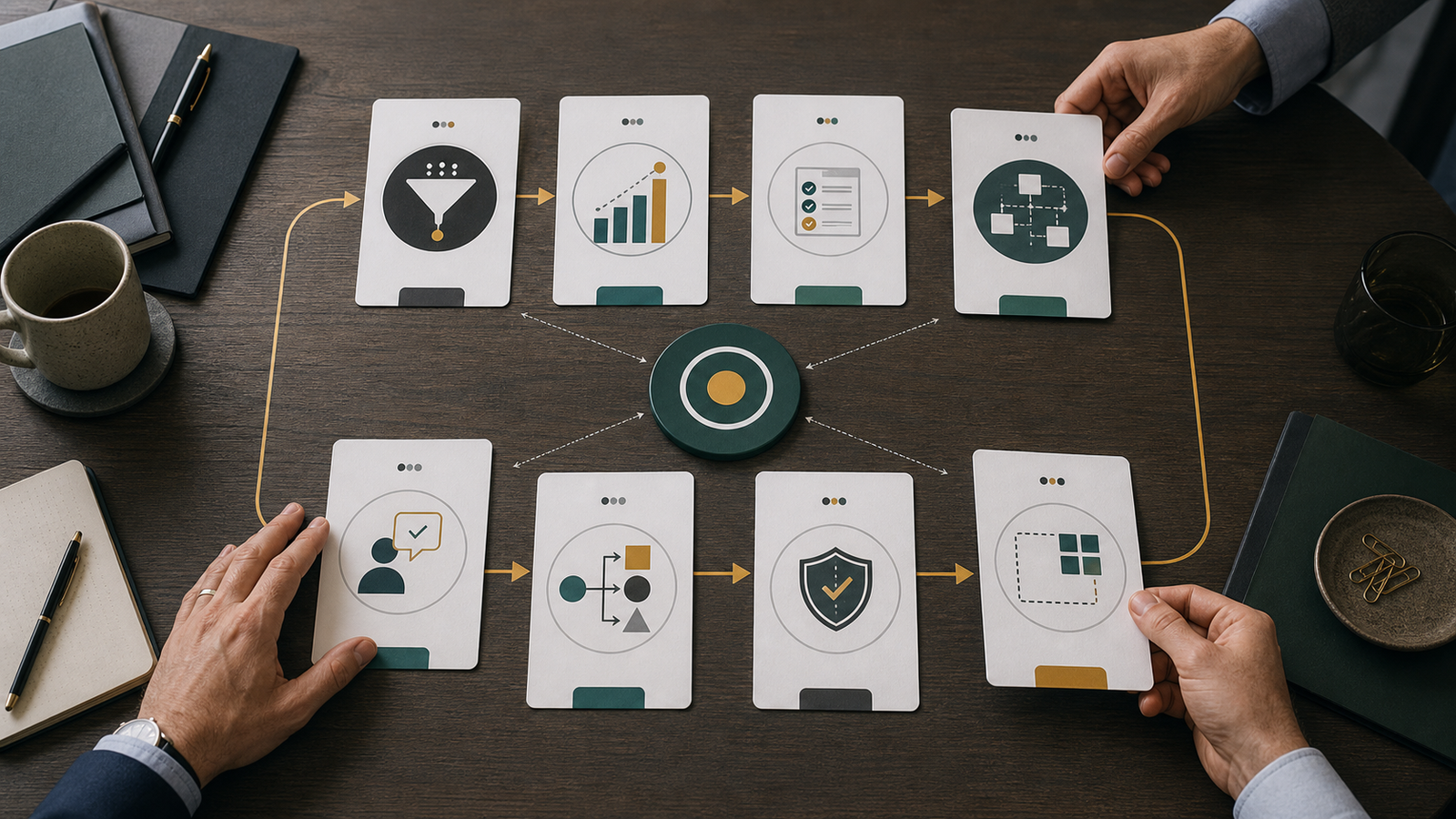
LEVERAGE stands for:
- L - Locate the bottleneck. Find where work slows down, where the owner gets pulled back in, where the team repeats the same manual steps, and where customers wait.
- E - Evaluate business impact. Not every bottleneck is worth fixing first. Look for workflows that affect revenue, customer experience, delivery speed, quality, risk, owner time, rework, or growth.
- V - Validate the workflow opportunity. A good candidate happens repeatedly, has recognizable inputs, follows a pattern, has a clear output, can tolerate human review, and creates enough value to justify improvement.
- E - Engineer the smallest useful system. Build the narrowest version that produces a useful output, fits into the current business, has clear review points, and creates learning.
- R - Review with human judgment. The goal is not to remove human judgment. The goal is to use it where it matters most: customers, suppliers, compliance, quality, pricing, legal language, sensitive data, and strategic decisions.
- A - Automate repeatable work. Drafting, summarizing, classifying, routing, checking, extracting, preparing, updating, reminding, and comparing are often good candidates once the workflow is clear.
- G - Govern quality, data, and risk. Decide who owns the workflow, who owns the data, what gets logged, what needs review, and what happens when the system is uncertain or wrong.
- E - Expand what works. Expand only after something works. One workflow becomes two. Two become a system. The operating layer starts to compound.
If you want a first structured look at this, the Free AI Workflow Assessment is designed to help surface your likely leverage bottleneck before you invest in bigger work.
Governance is part of leverage, not paperwork
Governance sounds boring until the first mistake happens. Then it becomes the most important topic in the room.
Quality, data, and risk should not be afterthoughts. They are part of the workflow design. Who owns the workflow? Who owns the data? What inputs are allowed? What information should never be entered? What needs review? What is logged? What is measured? What happens when the system is uncertain? What happens when the output is wrong?
The more important the workflow, the more important governance becomes. This does not mean making everything slow. It means making the system trustworthy enough to use.
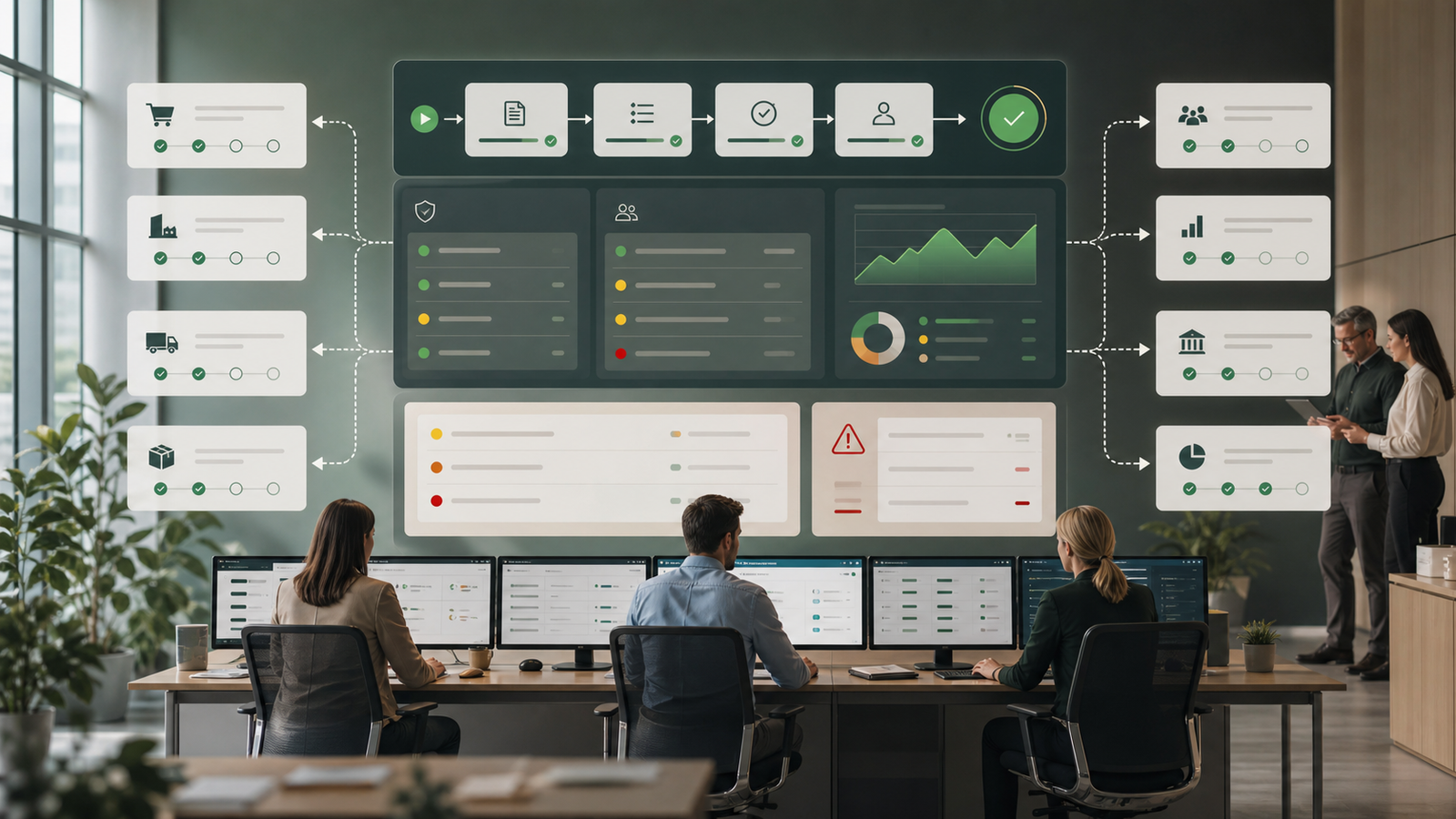
A workflow that saves time but creates doubt will not survive. People will work around it. They will return to spreadsheets, emails, and manual checking. Trust is part of adoption.
For companies thinking about both internal workflows and external visibility, the AI Audit and GEO Audit page is a useful next read because it separates internal operational readiness from how buyers discover the business online.
Why this matters more for SMBs than people think
Small and mid-sized businesses often feel that advanced technology is for large companies. Big companies have bigger budgets, IT teams, data departments, and transformation offices.
But smaller businesses have one advantage: they can move faster when the decision is clear.
Many SMBs do not need a large transformation program. They need the first good workflow decision. Which process should be improved first? What should stay human? What can be prepared automatically? What needs better data? What should be redesigned instead of optimized? What can be tested in a small version?
Without clarity, the business buys tools and hopes. With clarity, the business builds systems that solve real friction. A random tool creates activity. A well-chosen workflow creates leverage.
The practical test: would you rebuild this process the same way today?
Here is a simple question every business owner can use: "If we started this process from scratch today, would we build it the same way?"
Ask that about your most repeated workflows: lead follow-up, customer service, reporting, project updates, procurement, document checks, scheduling, internal knowledge sharing, invoice review, quote preparation, employee onboarding, and supplier communication.
If the honest answer is no, do not rush into automation. First, rethink the workflow. What is the outcome? What can be removed? What can be simplified? What information is needed earlier? What decision should be made faster? What should be visible to the team? What should be escalated? What should be handled by rules? What should require human judgment?
Once those questions are answered, the technology decision becomes much easier. You are no longer buying a tool because it looks impressive. You are choosing a tool because the workflow deserves it.
A simple 30-minute exercise to find your first leverage opportunity
You can start without a consultant, a workshop, or a long strategy document. Take 30 minutes and list five workflows your team repeats every week.
Then ask:
- Which one consumes the most time?
- Which one creates the most rework?
- Which one affects revenue or customer experience?
- Which one depends too much on the owner?
- Which one has the clearest inputs and outputs?
- Which one would be valuable even if the first version only prepared drafts or recommendations?
Now choose one and map it simply: trigger, input, steps, decision, output, review, risk, and success. If you cannot answer those questions, that is useful information. It means the workflow is not ready to automate yet. It may need simplification first.
If you can answer them, you may have found your first leverage opportunity.
When you should not automate yet
There are times when the best decision is to wait. Not forever. Just long enough to fix the basics.
- Do not automate a workflow if nobody agrees on the goal.
- Do not automate if the input data is unreliable and nobody owns it.
- Do not automate if the process changes every time.
- Do not automate if the risk is high and review is unclear.
- Do not automate if the team does not trust the source information.
- Do not automate if the workflow should be removed instead.
That last point is important. Some work should not be made faster. It should disappear: a report nobody uses, a duplicate approval, a manual check caused by an upstream mistake, a meeting that exists because the system has poor visibility, or a handoff that only exists because two tools are not connected.
If you automate work that should be removed, you make waste more efficient. That is not leverage.
The real goal: better workflows, not more tools
The businesses that will benefit most from AI will not be the ones with the longest tool list. They will be the ones with the clearest workflows.
They will know where work gets stuck, which processes create value, where human judgment matters, what should be prepared, checked, routed, summarized, or escalated, and which small system to build first.
That is the point of the LEVERAGE concept. It gives the business a practical way to move from interest to action. Not by chasing every new tool. Not by creating a giant strategy deck. Not by pretending everything can be automated. But by choosing the right workflow, designing it properly, keeping human judgment where it belongs, and expanding only when the first system works.
Where the Full AI Business Assessment fits
If you already know exactly which workflow to improve, you may not need a full assessment. You may simply need to build the first version.
But many owners and teams are not there yet. They feel the pressure. They see the opportunity. They know there is wasted time somewhere. They know their team repeats too much work. They know data is scattered. They know customers wait longer than they should. They know the owner is still involved in too many operational details.
They are not sure what to fix first. That is the problem the Full AI Business Assessment is designed to solve.
It gives you a structured look at your workflows, bottlenecks, repeated work, tool readiness, risks, and business priorities. The goal is not to hand you a generic list of tools. The goal is to help you make a decision: which workflow should we improve first, what should the first version look like, what should stay human-reviewed, what should wait, and what should not be automated at all?
If you are not sure where your business stands today, start here: take the Free AI Workflow Assessment.
If you want the deeper version: book the Full AI Business Assessment.
If you want to understand the concept before taking the next step: read What Is an AI Workflow Assessment?
Final thought: start with the process, but do not worship the old process
"If you want to leverage AI, start with the process." That is true. But it is not the whole truth.
Start with the process. Then challenge it.
Do not assume the current workflow deserves to survive. Do not assume every step is necessary. Do not assume the goal is to make the old process faster.
Sometimes the real opportunity is to redesign the workflow around a better outcome: a faster response, a better decision, a cleaner handoff, a more reliable customer experience, a stronger supplier conversation, a less owner-dependent operation, and a team that spends more time on judgment, relationships, and growth.
The first question is not "Which tool should we buy?"
The first question is: "Which process deserves to be rebuilt?"
FAQ
What is AI leverage?
AI leverage means using AI to create practical business advantage by improving a real workflow. It is not about using tools randomly. It is about finding the repeated work, bottleneck, or owner-dependent process where better support could save time, improve consistency, reduce errors, or speed up decisions.
Why should AI start with the process?
AI should start with the process because the process defines the work. If the workflow is unclear, the tool will not know what good looks like. Starting with the process helps identify inputs, steps, decisions, outputs, review points, and risks before anything is automated.
What is the difference between process improvement and process redesign?
Process improvement makes the current workflow better. Process redesign questions whether the current workflow should exist in its present form at all. Improvement asks, "How can we make this faster?" Redesign asks, "Would we build it this way if we started today?"
What is an AI workflow assessment?
An AI workflow assessment is a structured review of how work moves through a business. It helps identify repeated workflows, bottlenecks, tool readiness, data issues, human review points, and the first workflow worth improving.
What should a small business automate first?
A small business should usually start with a workflow that is repeated often, structured enough to improve, close to business value, and safe enough to run with human review. Common examples include lead follow-up, reporting, customer request triage, document checks, quote preparation, and internal knowledge search.
When should a business avoid automation?
A business should avoid automation when the process goal is unclear, data quality is poor, the workflow changes every time, human review is not defined, or the work should be removed instead of automated. Automating unnecessary work only makes waste faster.
How does the LEVERAGE concept help?
The LEVERAGE concept helps business owners decide where to start. It stands for Locate the bottleneck, Evaluate business impact, Validate the workflow opportunity, Engineer the smallest useful system, Review with human judgment, Automate repeatable work, Govern quality, data, and risk, and Expand what works.
